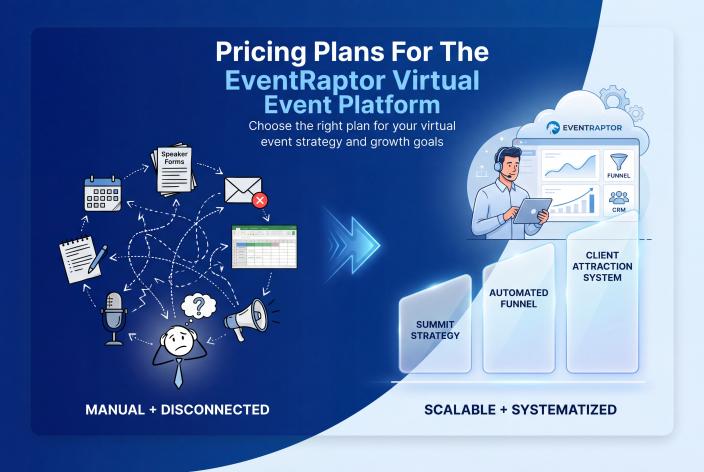
Maybe you're a coach, a therapist or the expert behind a service business, and you're wondering what a virtual summit will cost before you commit to one. Here's the short answer. On EventRaptor you pay for the plan that fits your event, plus a Zoom account for your live sessions, and EventRaptor takes no ticket fees on your summit sales. A DIY stack can look cheaper at first. Once you count setup hours, assistant time and fees on every sale, it usually isn't.
First, a bit of housekeeping. The Virtual Summits system is now EventRaptor. Jennie and I founded EventRaptor in 2021 and acquired VirtualSummits.com in November 2023, so this page explains EventRaptor pricing and how to think it through.
I won't list prices here. They change, and you should see the current numbers on the EventRaptor pricing page, not an old screenshot. What I can do is walk you through every cost a summit carries, so you can compare your options with clear eyes.
Key Takeaways
- Write down all six summit costs (software, live streaming, templates, setup time, a VA or freelancer, and ticket fees) before you compare summit software options.
- Put a real hourly value on your own setup time, because a DIY stack has you rebuilding speaker pages, links and schedules by hand for every summit.
- If you plan to sell VIP tickets, check whether the platform takes a percentage of each sale. EventRaptor doesn't.
- Budget for Zoom whichever way you go, since live sessions on EventRaptor run on Zoom.
- Pick done-for-you when your hours are worth more spent teaching, hosting and selling than learning the tech.
The Six Costs Behind Every Virtual Summit
Most people price a summit by comparing software subscriptions. That's one line out of six. Here's how the full picture compares for a typical coach.
| Cost | DIY stack (GoHighLevel, Kajabi or ClickFunnels, plus Zoom, templates and a VA) | EventRaptor |
|---|---|---|
| Software | Your funnel or CRM tool, plus whatever you bolt on for speaker forms, agreements and promoter tracking | One summit platform built around speakers and sessions |
| Live streaming | Zoom | Zoom (sessions use Zoom join links) |
| Templates | Bought templates or a course, adapted by hand | Reusable page templates with drafts and versioning built in |
| Setup time | Speaker pages, links, schedules and replay-expiry workflows built by hand for each summit | Schedule, speaker pages and attendee dashboard come from your speaker and session records |
| VA or freelancer | Often needed to hold the pieces together | Optional, and our team can run the whole summit for you |
| Ticket fees | Depends on your checkout, and some summit tools take a percentage | No ticket fees on summit sales |
The first two rows are easy to price. The last four are where budgets quietly go wrong.
Why a DIY Stack Costs More Hours Than It Seems
GoHighLevel, Kajabi and ClickFunnels are good tools. I'd never tell you to give up GoHighLevel, and EventRaptor sits on top of it as the summit layer. But none of those tools knows what a speaker or a session is. So you build it all by hand.
For example, a health coach running a 20-speaker summit in a DIY stack might need 20 speaker pages, 20 promoter links, a schedule page, replay pages that expire on time, and a spreadsheet tracking who sent a headshot and who signed an agreement. Then the VA has to learn all of it. And the work starts again with the next summit.
Your second DIY summit usually costs less than the first, because you've paid for the tools and learned where things break. The per-speaker rebuilding stays, though, and so does the inbox chasing. If that part sounds familiar, this guide on running a speaker event without managing everything from your inbox is worth a read.
Setup time also pulls hours away from promotion. On our podcast, summit host Danny den Hartog admitted he grossly underestimated the work. Early on he spent time on a summit logo and other details that didn't move anything forward, and his marketing suffered for it. Eleven days before his summit, with a strong speaker lineup booked, he hadn't sold a single ticket. He switched to a free model with an all-access pass as the upsell.
I know the feeling. My first summit had 27 speakers over four days, and I built it in two weeks with no system, working 16 to 18 hours a day. Please don't copy that timeline.
The contrast came later. Own Your Stage, the first summit Jennie and I ran on EventRaptor in February 2022, took about 20 hours of admin and brought in about 600 registrations. Our time went into the speakers and the offer.
Ticket Fees Are the Cost That Grows With Your Sales
A subscription is a fixed cost. A percentage fee grows every time someone buys, so the better your VIP offer sells, the more you hand over.
EventRaptor takes no ticket fees on summit sales. If you sell VIP tickets or an all-access pass, the platform doesn't take a cut of that revenue.
It matters more than people expect. At Own Your Stage we sold 109 VIP tickets at $47. That's a small ticket, and it adds up quickly when nobody's taking a slice. If you're still shaping your offer, here's how to price and structure a VIP summit offer people want to buy before the event starts.
In fairness to the alternatives, HeySummit is the only direct summit-software rival. It charges a percentage fee on ticket sales and caps attendees by plan. It also has no GoHighLevel integration, speaker agreements, giveaways or done-for-you service. Webinar tools such as Zoom Webinars, Crowdcast or Demio handle the live stream, usually one webinar at a time, and EventRaptor uses Zoom anyway, so they often work side by side.
How to Read the EventRaptor Pricing Page
When you open the current EventRaptor plans, work through these questions in order.
- Decide what kind of event you're running. A summit gets sessions, tracks, speaker applications, agreements, a run of show and a presentation timer. A meeting is simpler, with registration questions, event times and an attendee dashboard. If you're unsure a summit is the right move yet, this guide on choosing between a workshop, podcast, summit or giveaway will help.
- Count your speakers and list what you need from them. Applications, signed agreements and file uploads all come through the platform, and some of these depend on your plan, so check them line by line.
- Check your CRM. If you use GoHighLevel, registrants sync across with tags and custom fields, so your follow-up can start the day they register.
- Think about support. EventRaptor offers 24/7 live chat and 24/7 email tickets, and Zoom support sessions are available by booking, subject to availability.
- Decide who's doing the work. That choice changes your cost more than any plan difference, which brings us to the next question.
When Done-For-You Makes More Sense Than Self-Serve
Self-serve is genuinely doable. We designed EventRaptor around a real person, a 70-year-old group coaching client who'd only been using computers for two or three years. In December 2021 she ran a 12-speaker summit on EventRaptor without help from anyone.
Still, being able to do something doesn't mean it's the best use of your week. Done-for-you tends to pay for itself when most of these are true:
- Your calendar is full of client work and you can't spare months of evenings.
- You'd otherwise hire a VA plus a freelancer or two and end up managing them.
- You want speakers recruited, pages built and reminders written by people who've done it many times.
- You want the summit tied into your CRM and follow-up from day one.
- You'd rather spend your energy on teaching, hosting and selling.
When we produce a summit for you, our team handles the pieces you'd otherwise piece together: Zoom setup, session descriptions, speaker introductions, swipe copy for promoters, VIP sales pages and cover images. We've hosted 13 summits of our own and over 40 summits for clients, and you can see the platform side on our summit software features page.
One example. EventRaptor produced the Out-Earn Your Man summit for Lucy Bedewi, a personality-driven copywriter, in September 2021. Her email list grew from 25 people to 825. She booked 4 discovery calls right after she presented, and all 4 became clients. Her talk brought in $10K in sales. This is one person's result, and it doesn't predict what another host will see.
A Note for Therapists and Healing Practitioners
If you're in private practice, a summit gives you a way to teach and stand alongside respected peers without a hard sell. Price it as an education and referral project. The content is education, not therapy, so say so clearly on your pages. Never use stories or testimonials from therapy clients, and check your licensing board's advertising rules before you publish a VIP sales page or speaker bio.
What the Price Doesn't Cover
I'd rather you know the limits now than find them halfway through a launch. Live sessions run on Zoom, so you'll keep a Zoom account. Video hosting for session recordings and replays is available through CRMRaptor, our GoHighLevel solution, so you don't need a separate video host, and EventRaptor has video view analytics so you can see how your session and replay videos are viewed. It doesn't have team accounts, or in-event networking, Q&A and polls.
Then there's follow-up, which no plan can do for you. I've watched hosts add hundreds of people to their list and convert few or none, because nothing happened after the last session. In my experience a good follow-up process might turn 10 to 15% of them into clients. That's my experience, not a promise, but it's why I'd budget time for follow-up before you budget for anything fancy.
Frequently Asked Questions
How Much Does EventRaptor Cost to Run a Virtual Summit?
It depends on the plan you choose and whether you run the summit yourself or have our team produce it. Current plans are listed at eventraptor.com/pricing. Add a Zoom account for live sessions, and remember that EventRaptor takes no ticket fees on your sales.
Does EventRaptor Take a Percentage of Ticket Sales?
No. EventRaptor takes no ticket fees on summit sales, so VIP tickets and all-access passes don't carry a platform cut. Some summit tools charge a percentage on every ticket, and that cost grows as your sales grow.
Do I Still Need Zoom If I Use EventRaptor?
Yes. Live sessions run through Zoom join links connected to your event. Video hosting for recordings and replays is available through CRMRaptor, EventRaptor's GoHighLevel solution, but your live sessions still need Zoom. Most hosts already have a Zoom account, so this cost is often in the budget already.
Can I Keep GoHighLevel If I Switch to EventRaptor?
Yes, and you should. EventRaptor works as the summit layer on top of GoHighLevel, syncing registrants with tags and custom fields so your CRM and sales process stay where they are. CRMRaptor, our GoHighLevel agency, can set that up if you don't have it yet.
Is Done-For-You Worth It for a First Summit?
It often is if your time is tight or you'd otherwise hire several freelancers and manage them yourself. If you enjoy learning the tech and have the weeks to spare, self-serve on EventRaptor works well. Weigh what your hours are worth against the cost of having it run for you.
Your Next Step
Before you compare any plans, open a blank page and write down the six costs from the table above, with your own numbers next to each one, including what an hour of your time is worth. Then open the EventRaptor pricing page and see which option leaves you with the lighter list.
If you'd like a hand weighing self-serve against done-for-you for your practice or coaching business, Book your Client Attraction Planning Call. We'll look at what you sell, how people find you now, and whether a summit, a smaller event or better follow-up should come first.